taiwanren.cc - 最全的電商商品價格比較,價格查詢,歷史價格查詢站點
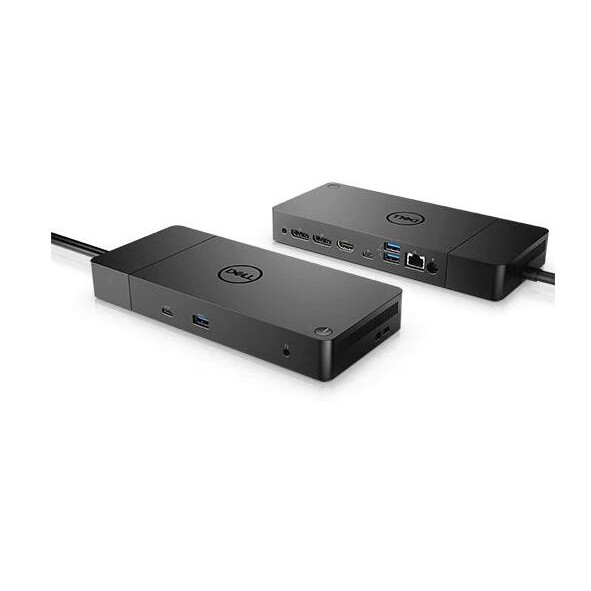
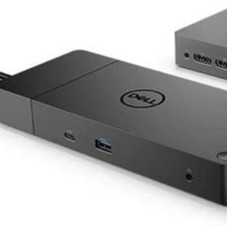
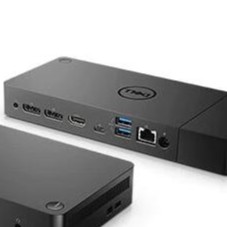
Dell 高效能媒體插槽座 Performance Dock – WD19DC 美國直購 價格比較,價格查詢,價格歷史信息

Dell 高效能媒體插槽座 Performance Dock – WD19DC 美國直購 歷史價格(單位:新台幣)
描述
戴爾性能底座– WD19DC 為未來而建 混合搭配:我們功能最強大,最可靠的擴展塢可根據您的需求變化而發展。如果需要進行現場更換或升級系統,則面向未來的設計使您可以輕鬆更換模塊。 終極連通性:雙USB-C連通性使您無論使用什麼系統,都比以往任何時候都更容易提供電源,數據,音頻和視頻以及連接到系統外圍設備。此外,由於支持多達四個顯示器,包括一個5K和兩個4K顯示器,您可以連接所需的一切。 乾淨無雜物:通過使用可選的安全VESA支架將擴展塢安裝在顯示器後面或桌子下方,可保持生產率,並通過內置的0.8米電纜提供了完全的靈活性。 瞬間顯示信息:數據傳輸速度高達10Gbps,當您連接到所有設備時,您可以保持工作效率。 優化您的工作空間 順暢,無縫:在我們有史以來最易於管理的擴展塢上使用單一固件即可正常工作。此外,借助Dell Client Command Suite和Microsoft System Center Configuration Manager,您可以快速輕鬆地更新固件,而無需重新啟動擴展塢。 安全的可管理性:通過MAC地址直通和遠程端口禁用功能,可確保您的信息安全。此外,借助PXE引導,局域網喚醒等功能,在管理擴展塢時保持生產力比以往任何時候都容易。 端口和插槽 1. USB-C 3.1 Gen 2 | 2.具有PowerShare的USB-A 3.1 Gen 1 | 3.組合音頻/耳機| 4.音頻輸出| 5. DisplayPort 1.4 | 6. HDMI 2.0b | 7. USB-C多功能DisplayPort | 8.雙USB-A 3.1 Gen 1 | 9.千兆以太網RJ45 | 10.上電 先進的交流服務 您的擴展塢具有3年的Advanced Exchange Servicei,因此如果需要更換,它將在3年的有限硬件保修期內的下一個工作日運送給您。 技術規格 產品類別 擴展塢 擴展塢接口 通過USB-C可分離的雙DisplayPort 視訊介面 HDMI,DP 尺寸(寬x深x高) 205毫米x 90毫米x 29毫米 8.07英寸x 3.54英寸x 1.14英寸 重量 20.64盎司 顏色 黑色 聯網 千兆以太網 功率 電源適配器240瓦AC電源和210瓦電源輸出 向非Dell系統提供90瓦功率 製造商保修 3年高級交換基礎保修 額外的4年和5年保修選項 Dell Performance Dock – WD19DC Built for the future Mix and match: Evolve as your needs change with our most powerful and reliable dock. The future-ready design lets you swap out modules with ease if you need to do field replacements or upgrade your systems. Ultimate connectivity: Dual USB-C connectivity makes it easier than ever to deliver power, data, audio and video as well as connect to system peripherals, no matter what system you use. Plus, with support for up to four displays, including a single 5K and dual 4K monitorsi, you can connect to everything you need. Clean and clutter-free: Stay productive by mounting your dock behind your monitor or under your desk with the optional, secure VESA Mount, that offers the complete flexibility with the built-in 0.8 meter cable. Information in a flash: With data transfer speeds of up to 10Gbps, you can stay productive when connected to all your devices. Optimize your workspace Smooth and seamless: Work without disruptions utilizing a single firmware on our most manageable docks ever. Plus, with Dell Client Command Suite and Microsoft System Center Configuration Manager, you can quickly and easily update your firmware without rebooting your dock. Secure manageability: Keep your information safe with MAC Address pass-thru and remote port-disablement. Plus, with features like PXE Boot, Wake-on-LAN and more, it’s easier than ever to stay productive while managing your dock. Ports & Slots 1. USB-C 3.1 Gen 2 | 2. USB-A 3.1 Gen 1 with PowerShare | 3. Combo Audio/Headset | 4. Audio Out | 5. DisplayPort 1.4 | 6. HDMI 2.0b | 7. USB-C Multifunction DisplayPort | 8. Dual USB-A 3.1 Gen 1 | 9. Gigabit Ethernet RJ45 | 10. Power In Advanced Exchange Service Your dock comes with a 3-year Advanced Exchange Servicei so that if a replacement becomes necessary, it will be shipped to you the next business day during your 3-year Limited Hardware Warrantyi. Tech Specs Product Type Docking Station Docking Interface Separ
商品選項
屬性
用戶評測
分享鏈接
相關商品
-
 Dell 高效能媒體插槽座 Performance Dock – WD19DC 美國直購
 -
DELL戴爾 i7八代 高效能筆電 實體四核心 搭配8G DDR4+240G SSD+1K螢幕 支援TYPE C充電
-
DELL 輕薄高效能 i7-5500U 獨顯筆電 已保養好 視訊教學ok 優質二手筆電 可 工作 上網 看影片 Offi
-
DELL 戴爾 高效能 伺服器 散熱片 Heatsink For R740 R740xd R640 C6R9H
-
DELL 戴爾 C6R9H Heatsink For R740 R740xd R640 高效能 伺服器 散熱片
-
【品光數位】DELL E2016HV 20型 高效能電腦螢幕 19.5吋 解析度1600x900 輸入訊號:VGA #125356
-
DELL 戴爾 KJN71 T640伺服器 GPU 顯示卡供電散熱套件 高效能散熱風扇組 風扇升級套件
-
🔥四千帶走 DELL戴爾 I5五代 高效能筆電 搭配240G SSD+USB3.0+HDMI 功能全部正常🔥
-
全新dell R740 高性能風扇 4VXP3 現貨 保固一年
-
原裝Dell戴爾高性能塢站 WD19DCS 雙 USB-C 塢站YPE-C DOCK雷電3接口 Thunde
-
|限時下殺|原裝Dell戴爾高性能塢站 WD19DCS 雙 USB-C 塢站YPE-C DOCK雷電3接口 Thunde
-
Dell Inspiron 5420 14吋 高性能輕薄 筆電[賣出]



-
DELL Inspiron 5430 14吋 高性能輕薄筆電 (i7-1360P/16G/2TB/RTX2050/Win
-
Dell 戴爾 r760 高性能散熱片 RNTKV 0RNTKV WNKH0 0WNKH0
-
Dell 戴爾 R740 R740XD高性能散熱片散熱器 TRJT7 0TRJT7
-
Dell 戴爾 T550 高性能風扇 7VGFR 07VGFR
-
Dell戴爾r450 r650xs高性能風扇全新現貨TYF9H
-
Dell 戴爾R740 R740XD高性能風扇4VXP3
-
Dell 戴爾 r750 r750xs高性能散熱片散熱器現貨 115D3 0115D3
-
Dell戴爾 T620 T630伺服器 銅管高性能 CPU散熱器片 399M5 KYWYN
-
DELL戴爾 S6000 32口QSFP40GbE 高性能數據中心萬兆核心交換機
-
DELL 1155 1156 1150 1151 1200高性能 熱管 銅底 SFF CPU散熱器
-
Dell 戴爾T550 GPU套件單路高性能風扇現貨1N7V5
-
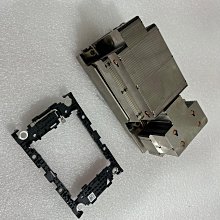
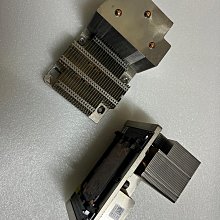
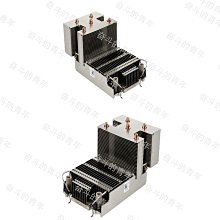
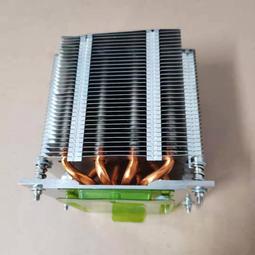
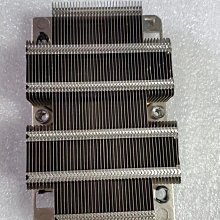
Dell 戴爾 r640 r740 r740xd高性能散熱片 C6R9H 0C6R9H


-
Dell 戴爾T550 GPU套件雙路高性能風扇現貨9PWY7
-
全新dell 戴爾T630 高性能風扇轉換供電線 9WT52
-
3CK4C DELL 戴爾 R740 高性能散熱器 205W CPU1 03CK4C
-
DELL 戴爾XPS 8930準系統 8代 9代 高性能游戲電腦主機銀灰色850W
-
優質高效輕薄筆電 Dell E5470歡迎現場試機(限捷運站自取)
-
全新dell 戴爾T630 伺服器高性能風扇轉換供電線 9WT52
-
全新Dell戴爾XPS8940 7080MT G5 5000 高性能 銅管散熱器靜音風扇
-
全新Dell R640伺服器機箱標準高性能風扇KG52T RG2X2 CY92P散熱片
-
全新Dell戴爾R740 R740XD標準高性能大功率散熱風扇4VXP3
-
N74R6 DELL 戴爾 R540 R7415 R7515 伺服器 高性能 風扇 機箱風扇
-
DELL/戴爾 latitude7440 13代酷睿商用辦公遊戲電競高性能商務手提筆記本電腦 7430升級款
-
DELL 戴爾 XPS15 P56F I7 6代 DDR4/4G 240g/ssd 超薄窄邊高效文書機